Prototypes do not become products
No-code and slideware demos impress once, then trap the idea in a tool the team cannot extend, host, or hand to an engineer to keep building.
Generated files, runtime feedback, previews, and release controls stay in one workspace.
For startups shipping an MVP
Describe the product you need to show investors and early users. E-Code turns it into editable source code and a hosted Preview you can share as a link. The same project remains your development base while production integrations, security, and release checks stay explicit.
Start from the product you already pitch. Source files, the hosted Preview, and a shareable demo link stay visible as the MVP evolves.
 Open live preview
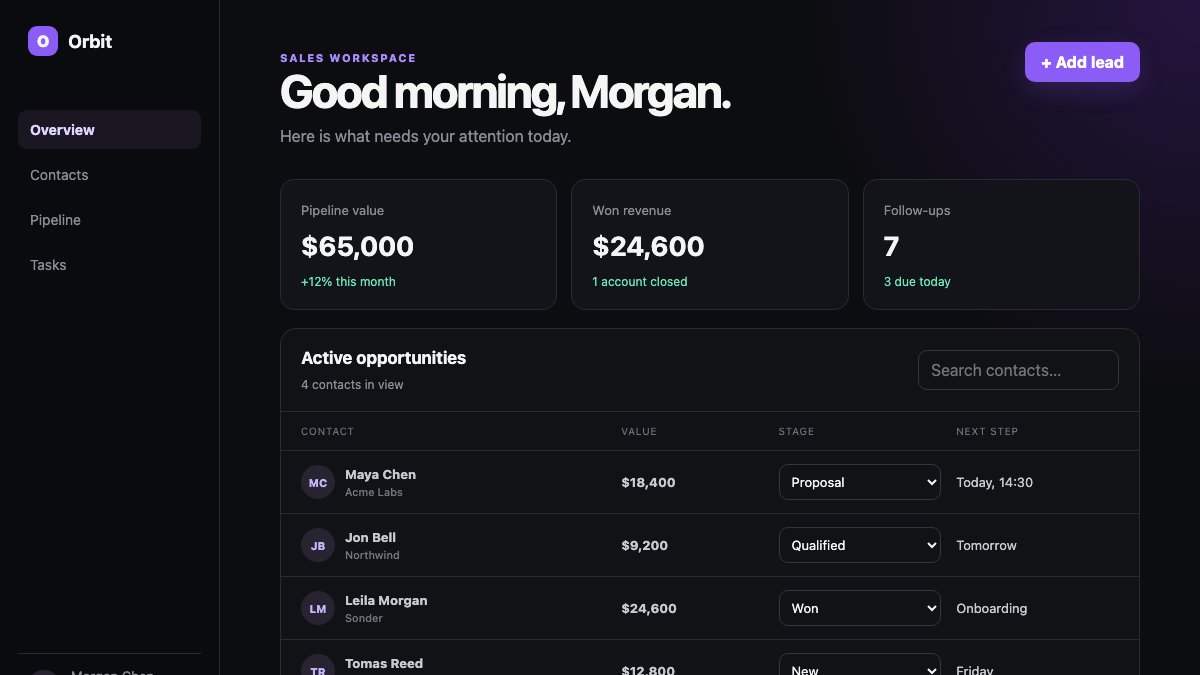
A polished SaaS workspace that covers contacts, pipeline stages, tasks, and next actions.
REAL APPS · OPEN THE PREVIEW
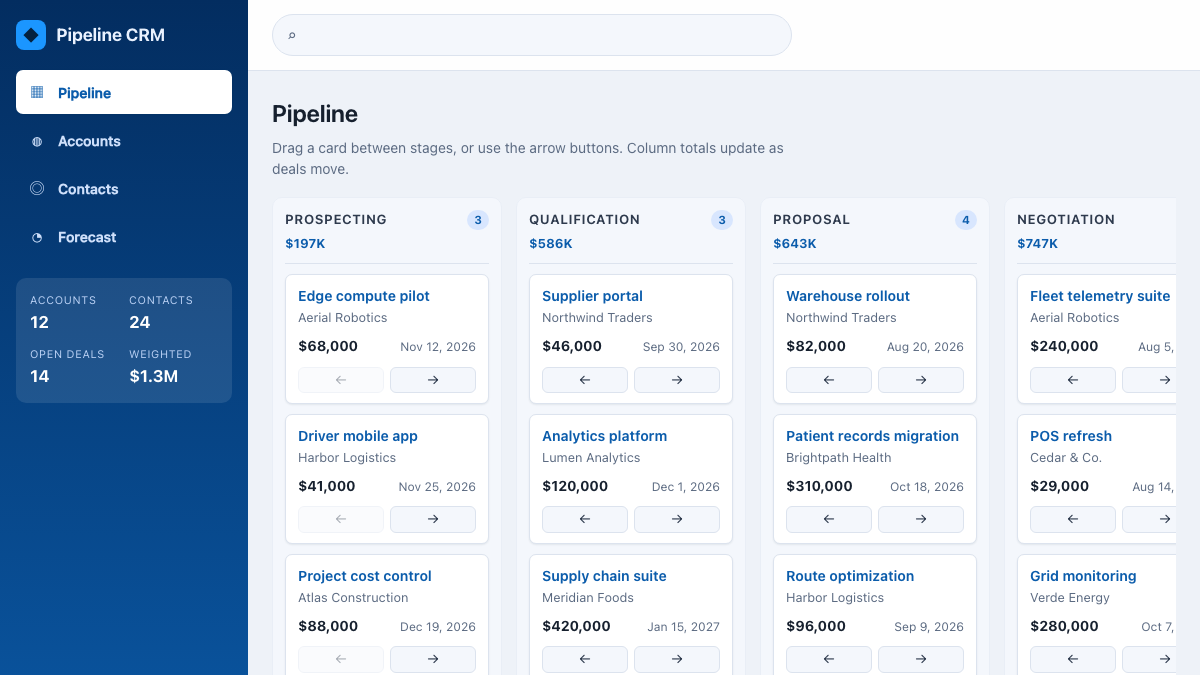
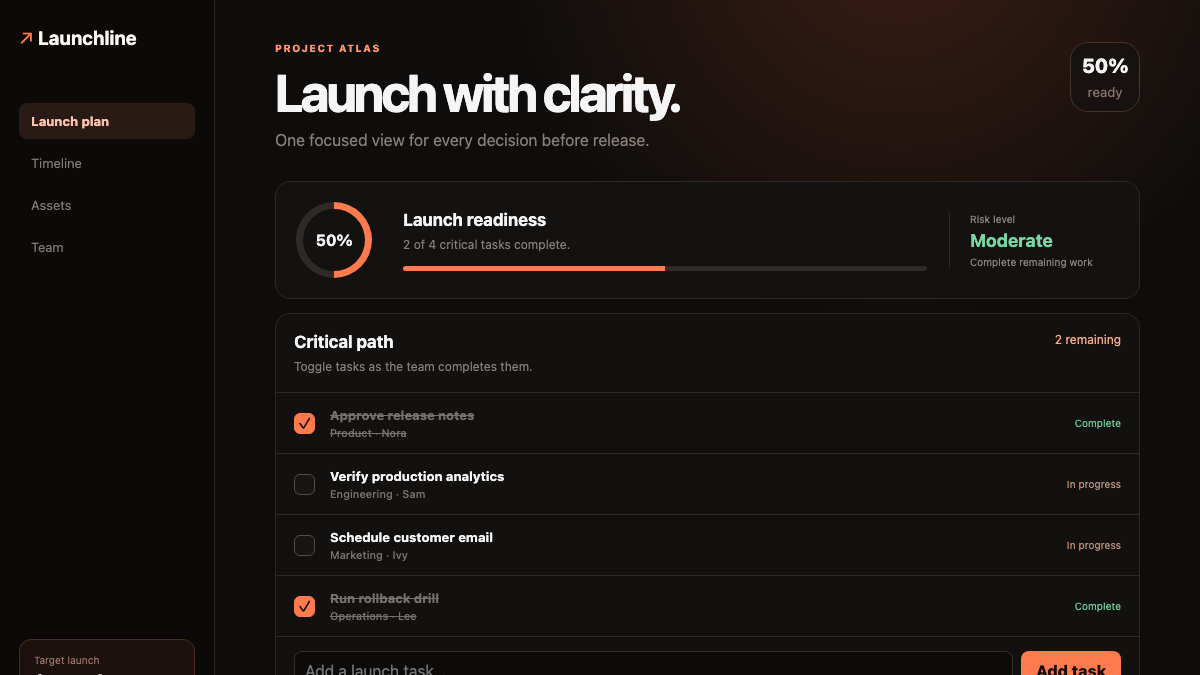
Every image below is a capture of an executable E-Code demo application. Open the preview to test the interface yourself.
 Open live preview
A certified sales application with movable opportunities, live totals, search, and forecasting.
 Open live preview
A focused AI-assisted workspace that turns a complex launch into clear, actionable steps.
From throwaway prototype to a product you can raise on
A startup needs to show something working before the next milestone. No-code prototypes demo well but hit a wall, and a hand-coded MVP burns the runway you need for the actual product.
No-code and slideware demos impress once, then trap the idea in a tool the team cannot extend, host, or hand to an engineer to keep building.
Standing up auth, a dashboard, and a landing page from scratch costs the weeks a small team needs for customers, not scaffolding.
A staged mockup breaks the moment someone clicks off the happy path, and there is no live link to share after the meeting.
E-Code starts from the MVP you describe and produces a working demo in real source files. You inspect the code, run it in a hosted Preview, share the link, and keep developing the same project instead of discarding the prototype.
One prompt starts the MVP
The request below reads like a founder briefing the build. The four items map its implementation scope in real source files, not a throwaway prototype.
Build our MVP: a waitlist landing page, a product dashboard, and sign-in, ready to demo to investors.
A responsive landing page with a waitlist form and submission structure, rendered from real components and routes across desktop, tablet, and mobile. Persistent storage still needs its chosen service configured.
A dashboard shell with structured data views and navigation, modeled as editable code the team can extend feature by feature.
Sign-in and account screens with route scaffolding modeled in code. A real identity provider, session policy, and production secrets remain separate integration work.
E-Code runs the compatible MVP build in a hosted Preview and provides a shareable review link. The project stays exportable while production readiness remains a separate validation step.
What you receive
The project stays inspectable from the first generated file through the hosted Preview and export. The same source you demo remains the starting point for the engineering, integration, and release work that follows.
The first product version lives in inspectable components, routes, styles, and logic that the founding team edits, versions, and exports instead of rebuilding from a slide deck.
Waitlist records, account shapes, dashboard schemas, adapters, environment references, and secret names stay visible. Your chosen database, identity provider, analytics, and payments still need real credentials and integration work.
The compatible build runs in Preview at phone, tablet, and desktop sizes so founders review the current product journey before sharing it with an investor or early user.
A supported static build moves through E-Code’s guided publishing flow. Connecting customer data, authentication, billing, observability, and release controls remains explicit work.
Publishing a supported static build produces a live E-Code-hosted URL to share. Server-dependent features stay in the exported project and require a compatible runtime and configured services.
Continue the same conversation with a customer insight or demo note, then inspect the Agent’s file changes and test the refreshed journey in Preview.
Built for shipping MVPs
The Startups path keeps the prompt, demo, code, and next engineering step in one inspectable workflow.
Start from a template or a prompt and generate real, editable source instead of a locked prototype.
Run the current compatible build in a hosted Preview and review its responsive layouts before sharing it.
Send a live link so a demo survives past the meeting and off the happy path.
Sign-in flows and dashboard shells generated as code you extend, not a fixed template.
Keep developing the exported demo codebase; production services and hardening are added and validated explicitly rather than implied by the prototype.
Export the project or publish supported builds. Ownership and permitted use follow the applicable E-Code terms.
Who builds with it
From a pre-seed waitlist to a demo-day product, the same loop produces a real, responsive MVP.
Validate demand with a working landing page and waitlist before the product exists.
A clickable product with real flows to walk through in a pitch.
A working dashboard to test an idea with early users before committing engineering.
Take the demo code into integration, hardening, and release validation before publishing a customer-facing version.
Common questions
What the Startups path produces, and where its boundaries are.
You get editable source files — components, routes, styles, and logic — that you can read, version, and export. The MVP you demo is the codebase you keep building on.
Yes. E-Code runs the MVP in a hosted Preview and gives you a shareable link you can send after the meeting. The traction numbers in the demo on this page are fictional.
Supported builds publish to a live URL through guided publishing, and every project stays exportable. Production still requires configured data and identity services, secrets, security checks, tests, and operational validation for your stack.
The generated flows are code you extend and wire to external services. The inline demonstration on this page uses fictional data and no connected backend.
Edit the files directly or ask the Agent for the next change and review the diff against the running Preview.
For startups shipping an MVP
Turn the product you pitch into a working MVP in real source code, run it in a hosted Preview, and share the link with investors.