Generic assistants ignore your context
Without an explicit, tested source connection, a model does not know which approved procedure applies and may answer outside the company’s operating rules.
Generated files, runtime feedback, previews, and release controls stay in one workspace.
Internal AI Builder for private team tools
Describe the internal workflow you want to automate — policy questions, approval routing, procedure lookup. E-Code turns that scope into editable source code with source adapters, roles, states, and audit-event models you can inspect. Run the interface in Preview, then connect identity, storage, private procedures, and review every control before rollout.
Start from the internal task your team repeats every week. Source files, the running interface, and proposed access rules remain visible while the tool evolves.
 Open live preview
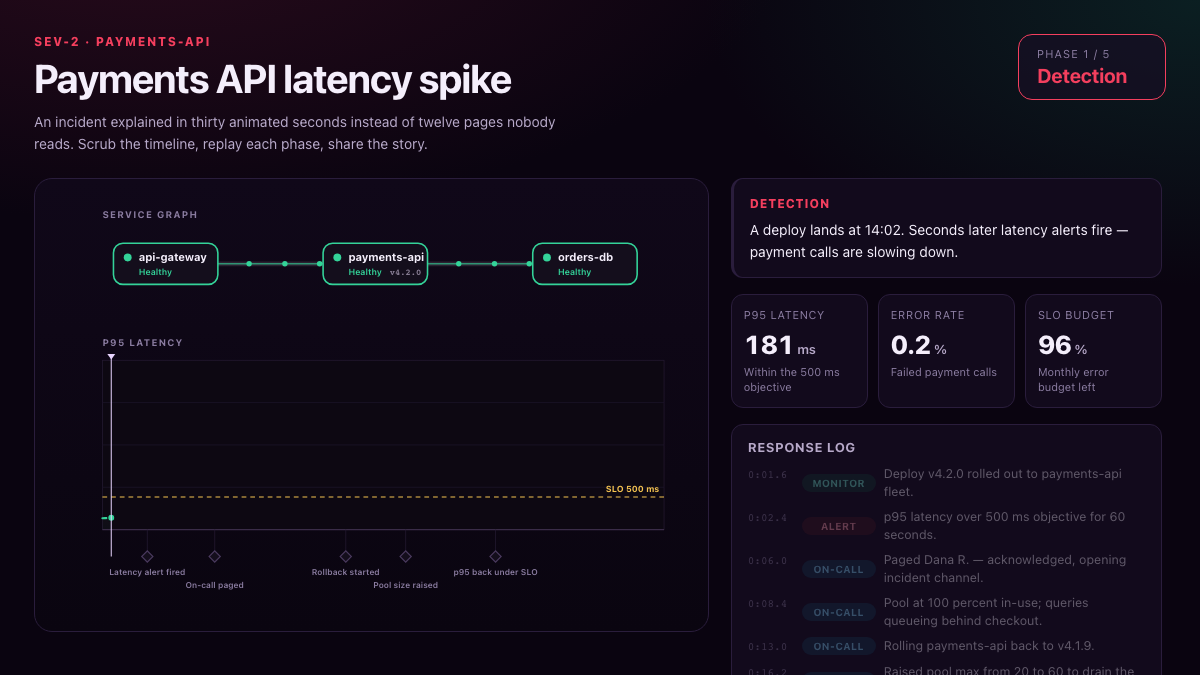
A certified internal knowledge app that turns operational evidence into an interactive incident narrative.
REAL APPS · OPEN THE PREVIEW
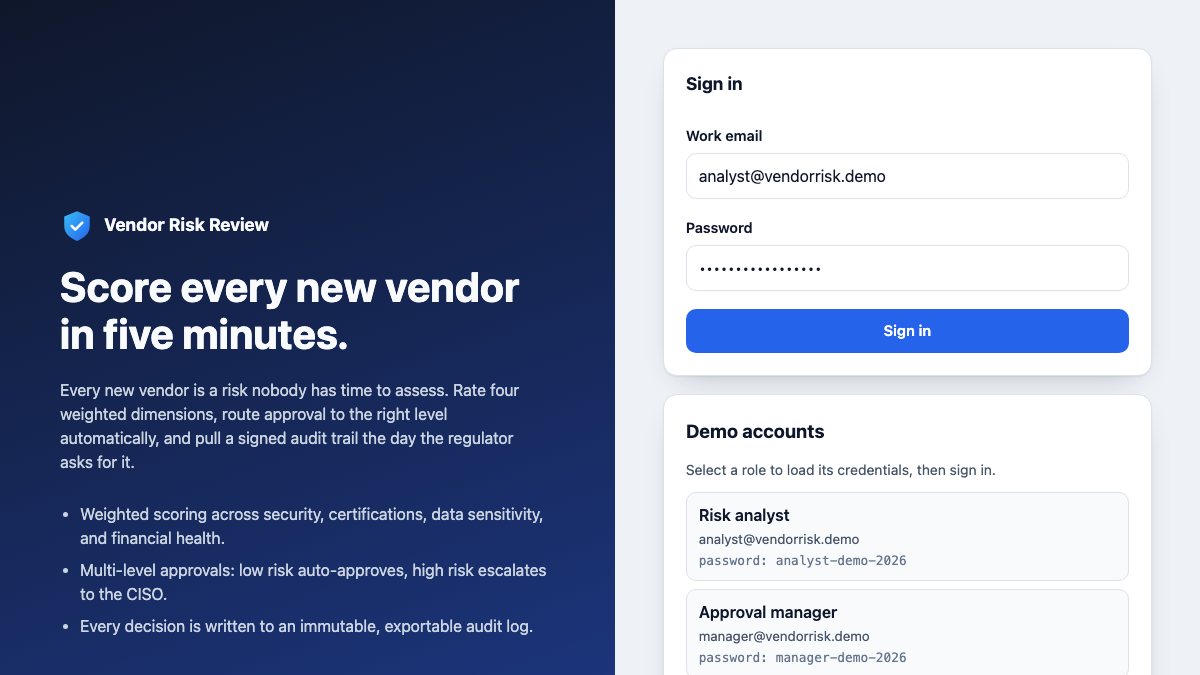
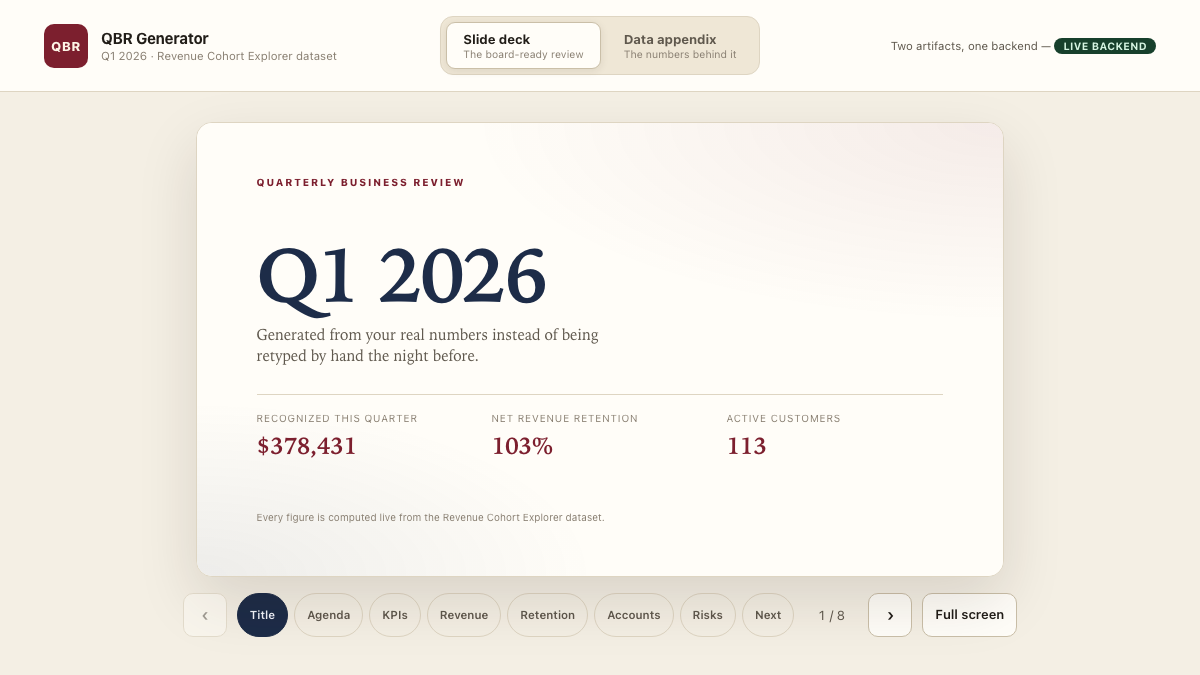
Every image below is a capture of an executable E-Code demo application. Open the preview to test the interface yourself.
 Open live preview
A certified full-stack workflow with authentication, approvals, weighted risk scoring, and an audit trail.
 Open live preview
A certified executive reporting app with a live backend, slide deck, and shared data appendix.
From scattered procedures to a governed internal tool
A team wants an assistant that uses its procedures and routes work to the right owner. A generic chat surface does not automatically connect trusted internal sources, enforce company identity, or create the durable audit record an internal tool needs.
Without an explicit, tested source connection, a model does not know which approved procedure applies and may answer outside the company’s operating rules.
A vendor platform brings its own storage, retention, and access model. Security teams still need to verify where documents go and who can retrieve them.
Access control, approval routing, and an audit trail get bolted on late, if at all, and the underlying logic is rarely yours to inspect.
E-Code starts from the workflow you describe and creates an internal-assistant project in real source files. You inspect the modeled source, access, routing, and audit paths in Preview, then connect the systems and enforce the controls required by your environment.
One prompt starts the assistant
The request below reads like a note from an operations lead. The four items map its implementation scope in real source files, with governance in view from the start.
Build an internal agent that searches our HR procedures, available only to my teams.
A source-adapter boundary models where approved procedures enter the assistant. Your documents are not connected by this page; choose the source, permissions, and retrieval checks before use.
Requests are modeled with owners, states, and a routing path. Connect persistence and notifications, then test reassignment, retries, and failure handling.
Role checks and audit events are represented in source code for review. They are not proof of enforced authentication, immutable logging, or authorization coverage.
E-Code runs the project interface in Preview across screen sizes and keeps the source exportable. Preview does not certify a private or production-ready deployment.
What you receive
The generated project exposes its source, procedure-adapter seam, responsive workspace, and release options. A static review surface can publish through E-Code; private data operations still belong in a separately secured runtime.
Components, routes, workflow state, and policy structures remain readable and exportable for your repository and review process.
The connection seam for approved procedures is visible in the source. Add the real store only after defining permissions and validating retrieval against your own documents.
Review request and policy screens across mobile, tablet, and desktop. Preview demonstrates the interface, not connected private documents, company authentication, or enforced authorization.
E-Code guides publishing when the generated internal-tool surface is a supported static build. That path does not turn modeled data or security rules into running backend services.
Put a compatible static review surface on an E-Code live URL. Any private lookup, approval write, identity check, or durable event requires the exported code and a backend runtime deployed under the required controls.
Describe the next policy or workflow adjustment, review the affected source files, and verify the updated interface in Preview before advancing.
Built for private internal tools
The Internal AI Builder path keeps source boundaries, governance rules, and iteration visible without claiming that a Preview supplies production security.
A retrieval boundary identifies the connection point for approved procedures; grounding quality still requires evaluation against your corpus.
Owners and states express the intended path; persistence, notifications, and failure recovery remain integrations to test.
Define who may ask, approve, and read as inspectable policy logic, then enforce it through real authentication and server checks.
Model the events that matter, then route them to tamper-resistant storage with the retention and access rules your organization requires.
The interface adapts from wide desktop to phone without a separate mobile build.
Export the project for your chosen hosting path, then apply your organization’s deployment, privacy, and security controls.
Who builds with it
From HR procedure search to request intake, these scenarios define inspectable starting points; governance becomes real only after identity, data, audit, and security validation.
Answer policy questions and route leave, exception, and approval requests.
Surface IT, finance, and operations procedures with routing to the right owner.
Guide new hires through processes grounded in your internal documentation.
Model structured request paths with owners, states, and an audit trail.
Common questions
What the Internal AI Builder path produces, and where its boundaries are.
You get editable source files for components, routes, policy logic, and content that you can read, version, and export. Connected models, identity providers, data stores, and hosts keep their own terms and constraints.
The project can model an adapter for procedure retrieval, but this page connects no documents, model, or data source. You choose the corpus and provider, restrict access, and evaluate retrieval and answers before employees use it.
The project can model roles, policy checks, and audit events as inspectable code. That is scaffolding, not enforced authentication or an immutable audit trail; connect the required services and test every server-side authorization path.
Not by default. Privacy depends on the model, storage, identity, logging, network, and hosting choices in your deployment. The page demo contains only fictional data, and E-Code does not claim a compliance certification for your resulting system.
Edit the files directly or ask the Agent for the next change and review the diff against the running Preview.
Internal AI Builder for private team tools
Turn the internal workflow you have in mind into an editable project, run its interface in Preview, and inspect source, access rules, and audit events before connecting private data or rolling it out.