Every project starts from zero
Rewiring auth, layout, and the same base screens for each new client eats the hours you should spend on what makes the project specific.
Generated files, runtime feedback, previews, and release controls stay in one workspace.
E-Code for freelancers and independent studios
Describe the client brief once and E-Code turns it into a working app in editable source code. Start from your own repeatable patterns, share a preview link for review, iterate through the Agent, and hand off an exported project the client can inspect and continue.
Begin from the brief you already have. Source files, the running Preview, and a shareable preview link stay visible as the work moves toward handoff.
 Open live preview
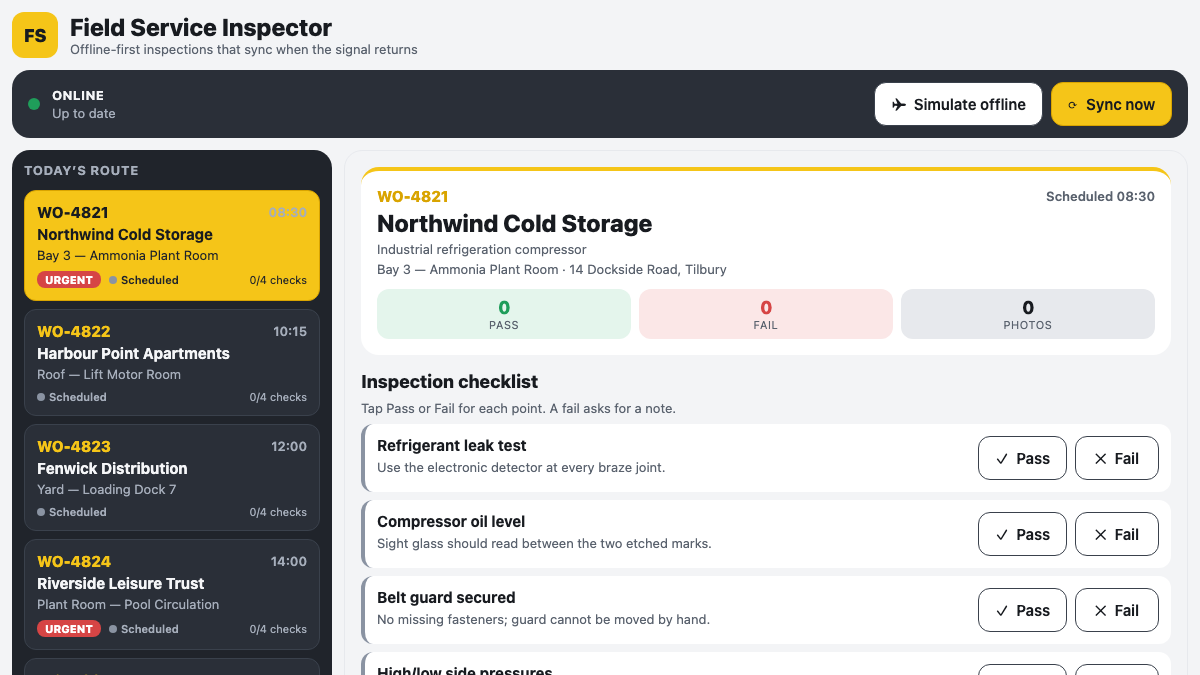
A certified offline-first field app with inspection state, notes, photos, and explicit synchronisation.
REAL APPS · OPEN THE PREVIEW
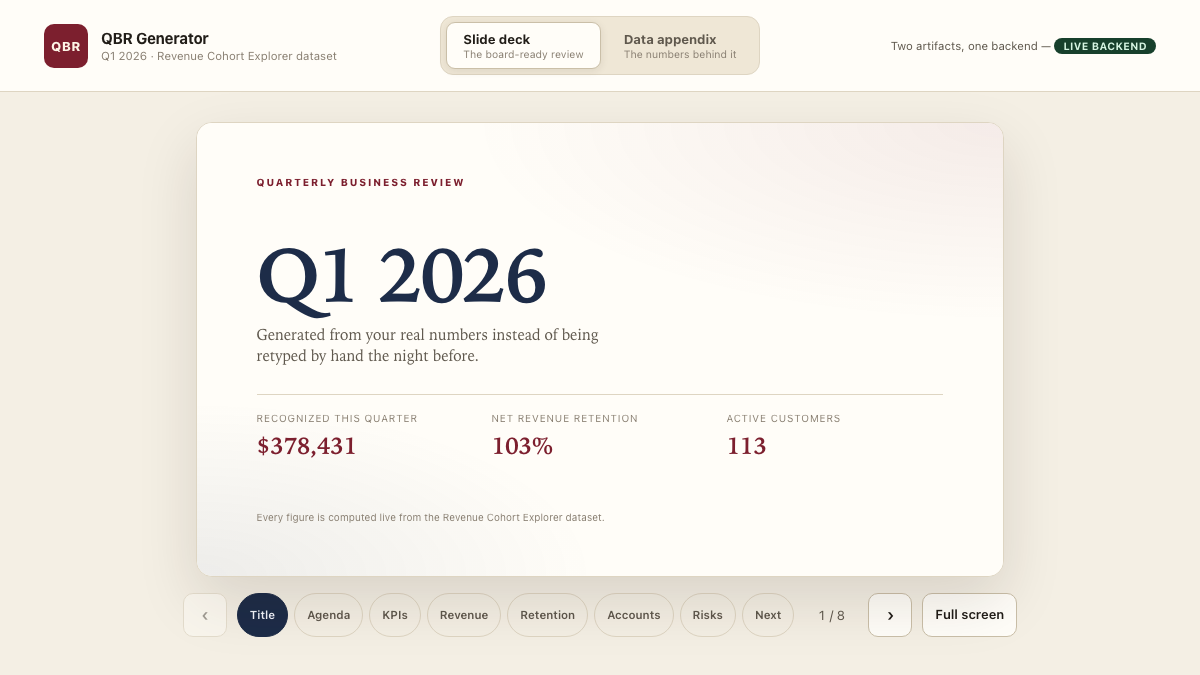
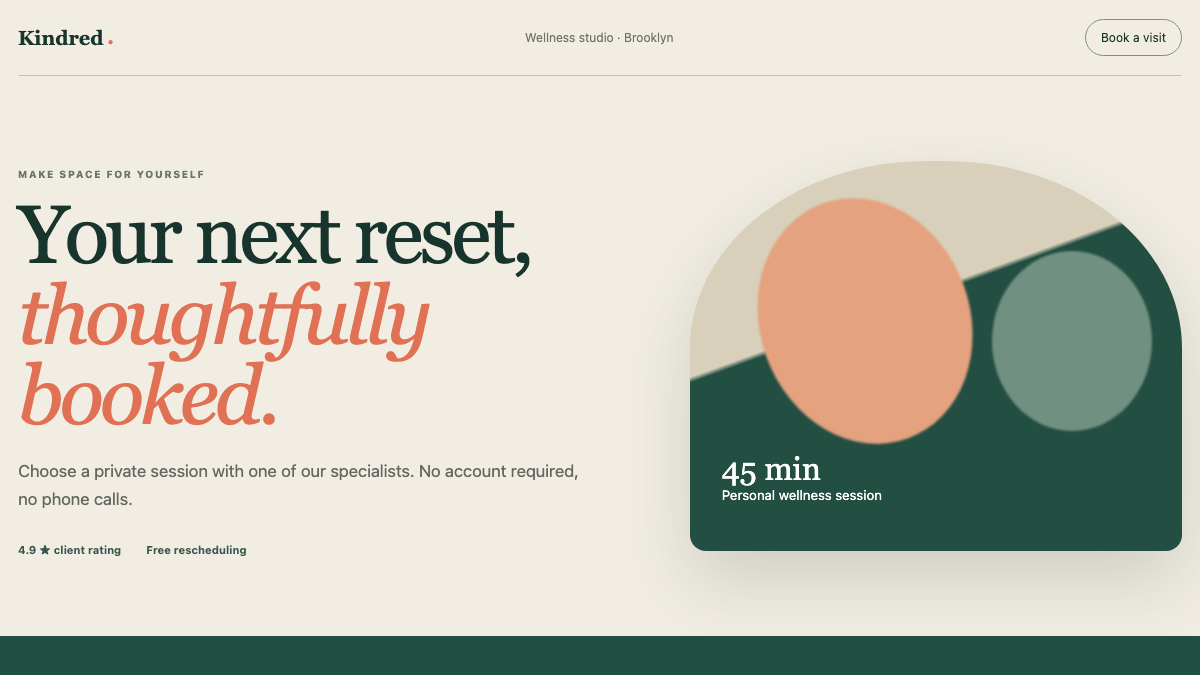
Every image below is a capture of an executable E-Code demo application. Open the preview to test the interface yourself.
 Open live preview
A certified executive reporting app with a live backend, slide deck, and shared data appendix.
 Open live preview
A responsive service website with an editorial identity and a clear booking journey.
From one-off builds to a repeatable delivery path
A freelancer wins on speed and on trust. Rebuilding the same scaffolding for every client burns the speed, and a messy handoff — code the client cannot run, edit, or keep — burns the trust on the last day of the project.
Rewiring auth, layout, and the same base screens for each new client eats the hours you should spend on what makes the project specific.
Sending images and scheduling calls to show progress slows every round of feedback, and the client never sees the real, running app until late.
A zip with no clear structure, or a build only you can run, turns the final delivery into support tickets and leaves the client dependent on you.
E-Code starts each project from the patterns you describe and produces a working app in real source files. You share a preview link for review, iterate against it, and hand off an exported codebase with the setup information the client needs to continue.
One prompt starts the client project
The request below reads like a note from a client. The four items map its implementation scope in real source files, from the portal down to the handoff of the code.
Build a client web app with a portal, shareable preview links, and a clean handoff of the source code.
Sign-in, a project dashboard, and the core client screens render across desktop, tablet, and mobile from real components and routes.
The running app is reachable through a preview link you can send for review, so feedback happens against the real thing, not screenshots.
Layout, navigation, and base screens are modeled as editable code you can lift into the next client project instead of rebuilding it.
E-Code runs the app in Preview and exports the project files. Supported builds also use guided publishing; source ownership and reuse remain governed by the applicable E-Code terms and your client agreement.
What you receive
The project stays inspectable from the first generated file through Preview and export. Shareable preview links carry review; an exported-source handoff reduces the client’s dependency on your workspace.
The client build consists of inspectable components, routes, styles, and logic you export, document, and transfer under the terms of the engagement.
Schemas, adapters, environment references, and secret names show where client data and services connect. Real credentials stay outside source and each database, identity, email, or payment provider still needs configuration.
The compatible project runs in Preview across desktop, tablet, and mobile, giving the client one current interface to review instead of a folder of screenshots.
Supported static sites and frontends follow the guided E-Code publishing flow, with final content, domains, analytics, and client acceptance handled as named delivery steps.
A supported static build receives a live E-Code-hosted URL for review or delivery. Apps with server logic remain exportable and need the client’s selected runtime, accounts, secrets, and operating setup.
Paste the client’s next revision into the Agent conversation, then compare the changed files and refreshed Preview before sending the next review link.
Built for client delivery
The Freelancers path keeps repeatable structure, client review, and a clean handoff in one inspectable workflow.
Start from your own base structure and screens instead of scaffolding each project again.
Share a running preview URL so clients approve the real app, not a mockup.
Export the project files so the client receives an editable codebase and a clear continuation point.
Request the next change and review the diff against the running Preview.
Layouts adapt from wide desktop to phone without a separate mobile build.
Export the project or publish supported builds; the client’s ownership and reuse rights follow your agreement and the applicable E-Code terms.
Who builds with it
From a client portal to a launch page, the same loop produces a real, responsive app ready to hand off.
Dashboards and sign-in flows delivered as editable project files for the client’s next development step.
Responsive sites with lead capture, shared for review before they go live.
Small back-office apps that model a real workflow rather than a static prototype.
A running preview link that turns a proposal into something the client can click.
Common questions
What the Freelancers path produces, and where its boundaries are.
You export editable source files — components, routes, styles, and content — rather than handing over only a screenshot or a hosted preview. Ownership and permitted reuse follow the applicable E-Code terms and your client agreement.
You share a running preview link so the client reviews the real app at each round, and you iterate against their feedback in the same workspace.
The exported source project, the preview link, and setup notes. External credentials, provider accounts, and production environment configuration remain explicit client handoff items.
The exported structure is technically reusable. You remain responsible for licenses, your client agreements, confidential material, and removing every client’s data before reuse.
The generated code is yours to extend and wire to external services. The inline demonstration on this page uses fictional data and no connected backend.
E-Code for freelancers and independent studios
Turn a client brief into a working app in real source code, share a preview link for review, and hand off an editable, exported project.