The prompt and tools are hidden
A locked builder decides how the assistant reasons and what it can call, and the team cannot read, version, or constrain that logic.
Generated files, runtime feedback, previews, and release controls stay in one workspace.
Chatbot & AI Agent Builder for real assistants
Describe how the assistant answers, which sources it may use, and when it hands off. E-Code structures that behavior in editable source code with prompts, tool contracts, a documentation adapter, and escalation states. Run the interface in Preview, inspect every file, then connect and test the model and services you choose.
Start from the questions your team already answers. Prompts, tool contracts, modeled conversation state, and the running interface remain visible while you iterate.
 Open live preview
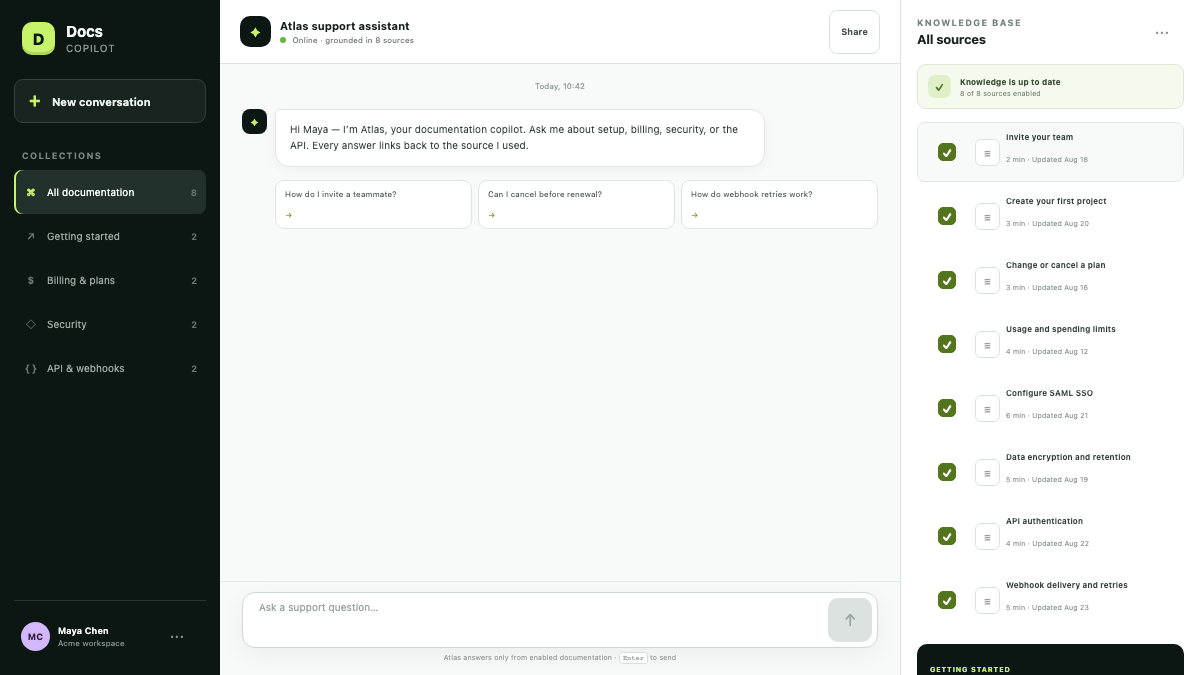
A working documentation-grounded assistant with free-form questions, ranked retrieval, citations, and source controls.
REAL APPS · OPEN THE PREVIEW
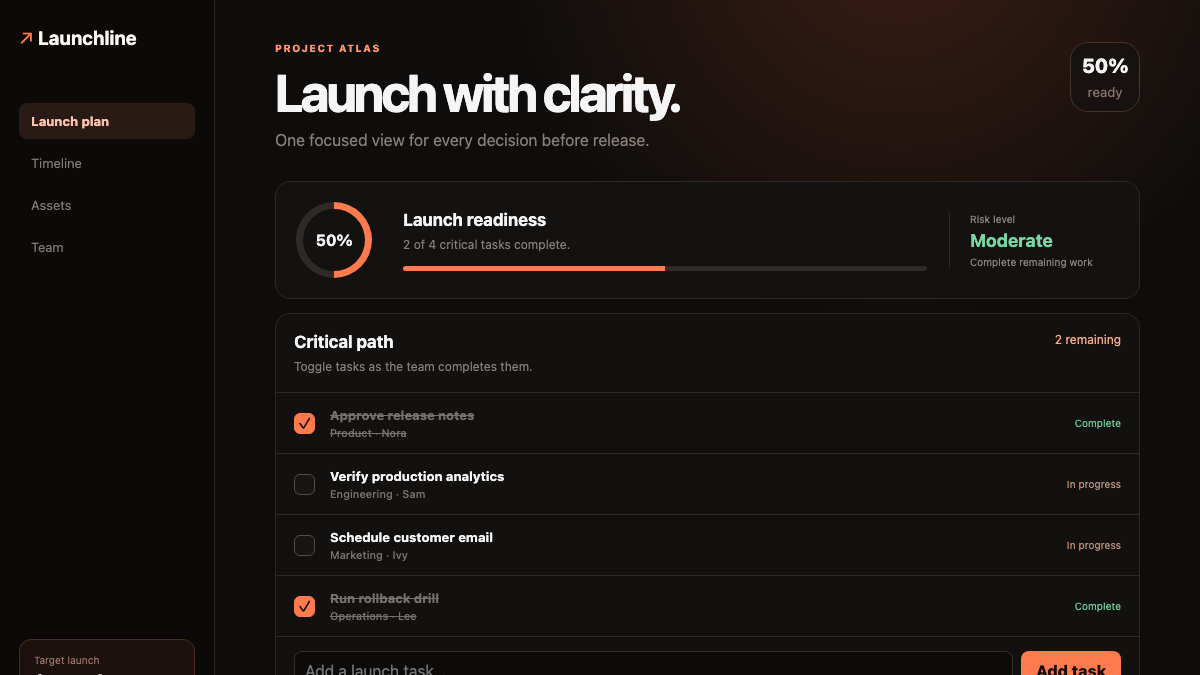
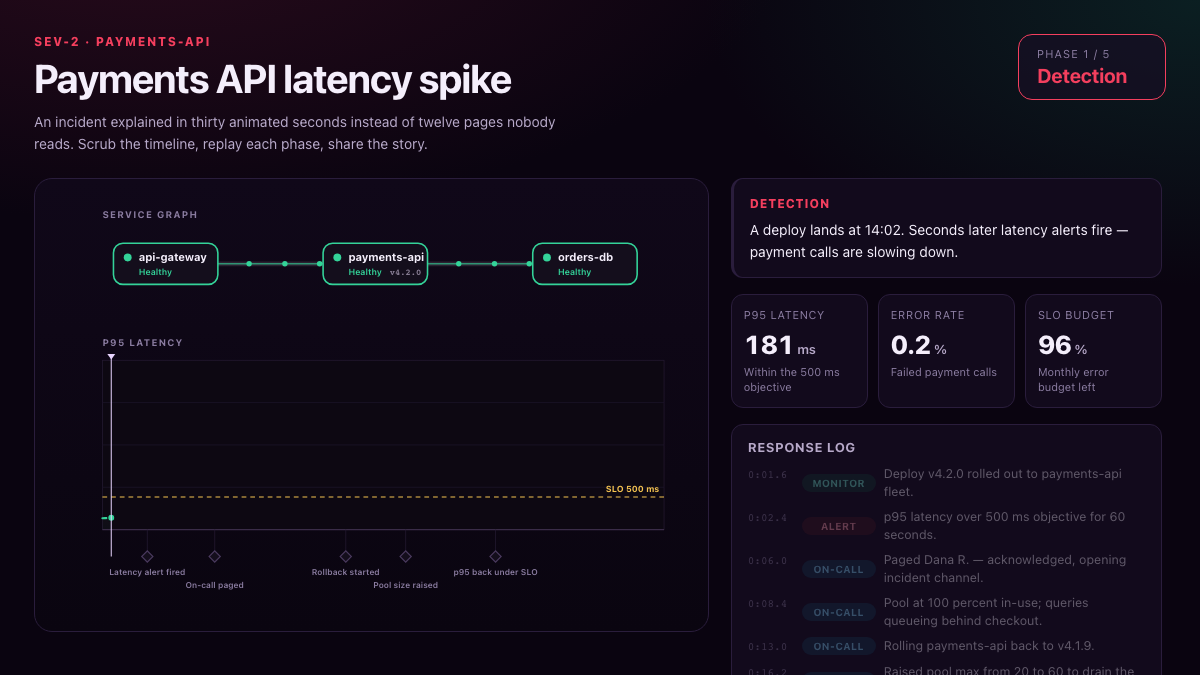
Every image below is a capture of an executable E-Code demo application. Open the preview to test the interface yourself.
 Open live preview
A focused AI-assisted workspace that turns a complex launch into clear, actionable steps.
 Open live preview
A certified internal knowledge app that turns operational evidence into an interactive incident narrative.
From an opaque bot to an assistant you can audit
A support team needs an assistant that answers from its own documentation, shows its sources, and knows when to escalate. Closed builders hide the prompt, the tools, and the memory, so nobody can review the boundaries or reproduce a bad answer.
A locked builder decides how the assistant reasons and what it can call, and the team cannot read, version, or constrain that logic.
Without a reviewable knowledge base and citations, the bot invents confident answers and there is no way to trace them back to a document.
When the assistant is unsure, it should hand off to a human — but closed tools rarely let you define, audit, or test that escalation.
E-Code starts from the assistant you describe and lays out its prompt, tool contracts, conversation state, and escalation branches in real source files. You inspect the project, run its interface in Preview, and request the next change without hiding the behavior in a closed builder.
One prompt starts the assistant
The request below reads like a note from a support lead. The four items map its implementation scope in real source files, not a locked bot builder.
Build an assistant that answers my customers’ questions from my documentation.
The system prompt, the tools the assistant may call, and their boundaries live in editable files the team can read and constrain.
A documentation adapter and citation UI model how answers map to sources. You still connect the real corpus and model, then test retrieval quality and citation accuracy.
A routing branch models low-confidence and out-of-scope handoff. Connect it to the support destination your team uses and test that no conversation is lost.
E-Code runs the project interface in Preview across screen sizes. This verifies the generated surface and flow, not a live model, document connection, or production support integration.
What you receive
Source, knowledge-adapter boundary, responsive Preview, and publishing path stay visible. Static interface builds follow E-Code’s supported publishing flow; a model-backed chatbot still needs its own connected services and runtime.
Prompts, conversation UI, state, and routing live in editable files you can review, version, and take outside E-Code.
The documentation adapter and citation model remain explicit in code. No corpus or language model is attached by this page; connect yours and evaluate retrieval before use.
Exercise the chat interface from phone to desktop in Preview. That confirms the rendered flow, not live document retrieval, model output, authentication, or support delivery.
When the assistant surface qualifies as a supported static build, E-Code guides the build and publishing steps without presenting unconnected server behavior as deployed.
Publish the supported static interface to an E-Code live URL. A chatbot that calls a model, reads documents, or stores conversations requires the exported project and an appropriate deployed backend runtime.
Continue in plain language, inspect the resulting file changes, and rerun Preview after each adjustment to the assistant experience.
Built for real assistants
The Chatbot Builder path keeps prompt, tools, memory, and escalation in one inspectable workflow.
Start with a source-adapter contract and citation presentation, then connect your corpus and test every retrieval path.
The system prompt and behavior rules live in editable files, not a locked builder.
Every tool the assistant may call is declared and bounded in code you can audit.
Conversation state is modeled in the project so you can review what is retained and replace it with an appropriate store.
Define the branch for low-confidence or out-of-scope requests, then connect and test the real support queue.
Export the source files or keep building in E-Code; review the terms of every model and external service you add.
Who builds with it
These are practical starting points for an editable assistant project; each needs its own source connection, model evaluation, and operational testing.
Answer customer questions from product docs and escalate on low confidence.
Assistants that answer IT, HR, or ops questions from internal knowledge bases.
Agents that call bounded tools to complete steps and report back for review.
Guided assistants that walk new users through setup with cited sources.
Common questions
What the Chatbot Builder path produces, and where its boundaries are.
You get editable source files for prompts, tools, state, and routing that you can read, version, and export. Any model, vector store, or support service you connect remains governed by that provider’s terms.
The generated assistant is modeled to retrieve from a knowledge base and cite what it used. The inline demonstration on this page uses fictional data and no connected model or backend.
The project can model escalation on low confidence or out-of-scope questions. A real handoff requires connecting your support destination and testing delivery, ownership, retries, and failure states.
The generated tools and knowledge model are code you can wire to your own model and sources. Nothing on this page is connected to a live model — the demo is fictional.
Edit the prompt, tools, or rules directly, or ask the Agent for the next change and review the diff against the running Preview.
Chatbot & AI Agent Builder for real assistants
Turn the questions your team answers into an editable conversational project with reviewable prompts, tool contracts, state, and handoff logic. Preview the interface, then connect and test the external services it depends on.