Work lives across disconnected tools
Forms collect one part of the request, spreadsheets hold another, and decisions remain buried in messages. People re-enter the same information because no shared application owns the full state.
Generated files, runtime feedback, previews, and release controls stay in one workspace.
App Builder for real business workflows
Describe the people who use it, the information they handle, and the rules that move work forward. E-Code turns that context into connected screens and routes inside editable source code. Inspect every file, run the app in Preview, continue through the Agent, and export the project for the hosting path it needs.
Start with the process you already know. Project files, the running Preview, build output, and export controls stay visible as the application evolves.
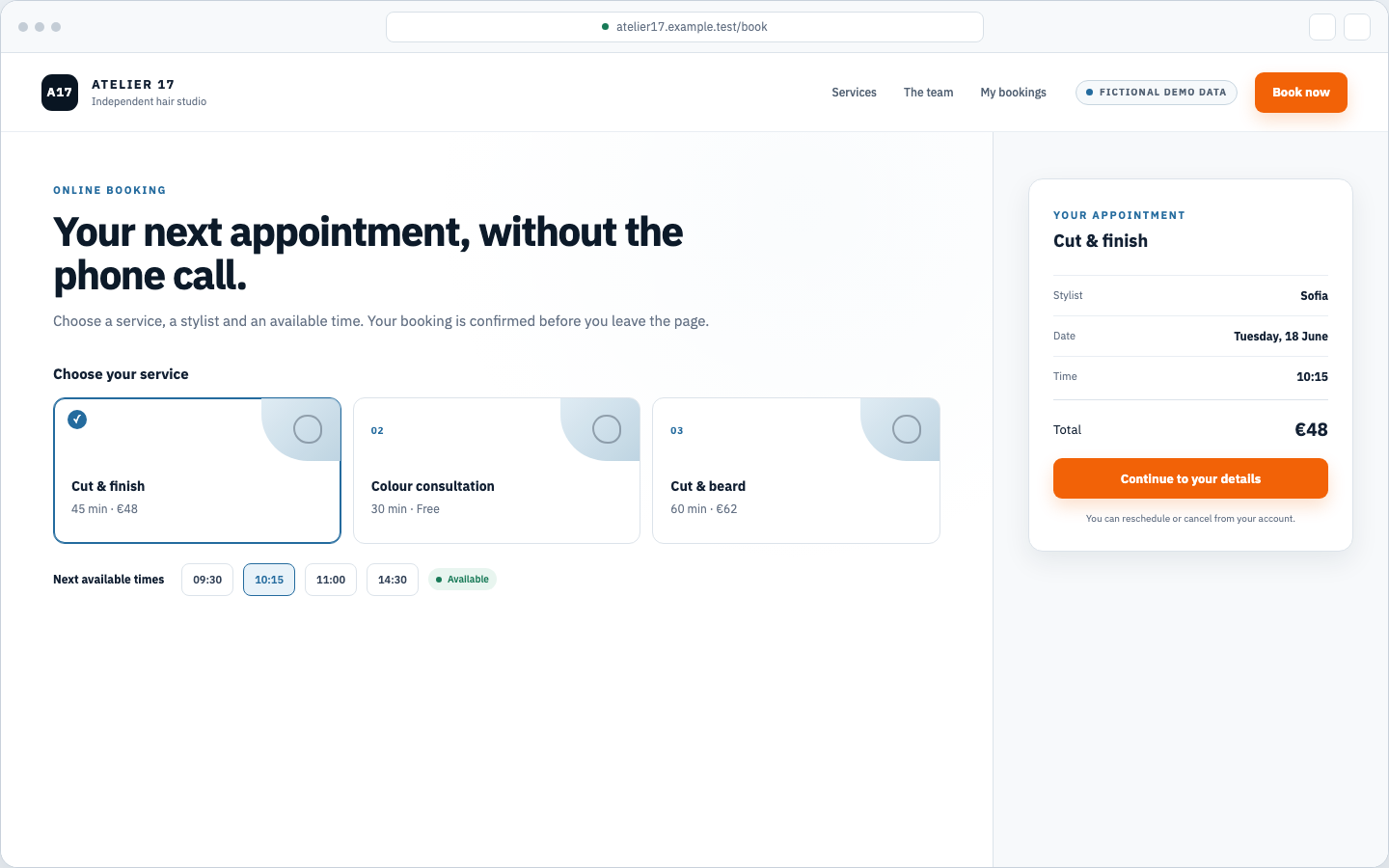
This page-specific browser demonstration presents services, available times, customer details, and confirmation in one interactive booking flow.
From scattered process to working app
A process begins in a spreadsheet, a form, or an inbox because those tools are close at hand. As more people, records, approvals, and exceptions appear, the team repeats data entry, loses context between systems, and waits for software that matches the work.
Forms collect one part of the request, spreadsheets hold another, and decisions remain buried in messages. People re-enter the same information because no shared application owns the full state.
Fixed fields, roles, and flows force the business into someone else’s operating model. No-code tools reach their limit when the workflow needs precise rules, connected data, or an exception the template never anticipated.
Requirements cross multiple handoffs before they reach working software, while developer time raises the cost of every clarification. The person who understands the process waits on a backlog and remains dependent on someone else to change the code.
E-Code starts from the workflow in everyday language. You describe what people do, inspect a running application and its real code, then request the next change without translating every decision into a technical specification.
One prompt starts the build
The request below reads like a message from a salon owner. The four items map its implementation scope; the browser captures show a scripted functional demonstration authored for this page with fictional salon data, not a record of an E-Code generation.
Create a booking app for my hair salon, with a calendar, customer accounts, and email reminders.
The requested journey covers service selection, an available time, account creation, appointment confirmation, and upcoming visits across responsive screens.
The requested data model covers clients, services, staff members, availability, appointments, and reminder state, with explicit relationships between each record.
The implementation scope includes availability checks, account access, appointment creation, rescheduling, cancellation, confirmation, and reminder triggers.
E-Code runs the generated project in Preview for inspection across screen sizes. Supported static builds continue through guided publishing to a live URL; other projects remain exportable for their own hosting workflow.
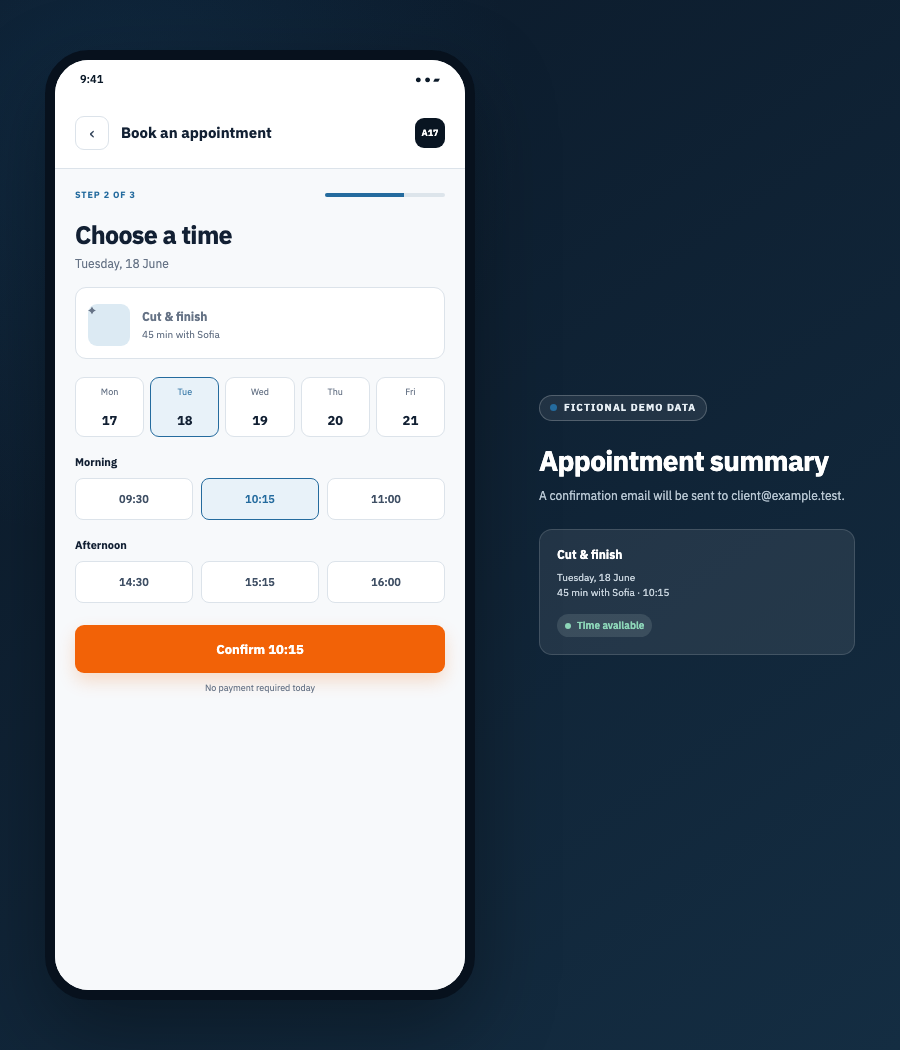
The client selects a service, sees available times, and confirms the visit without calling the salon.
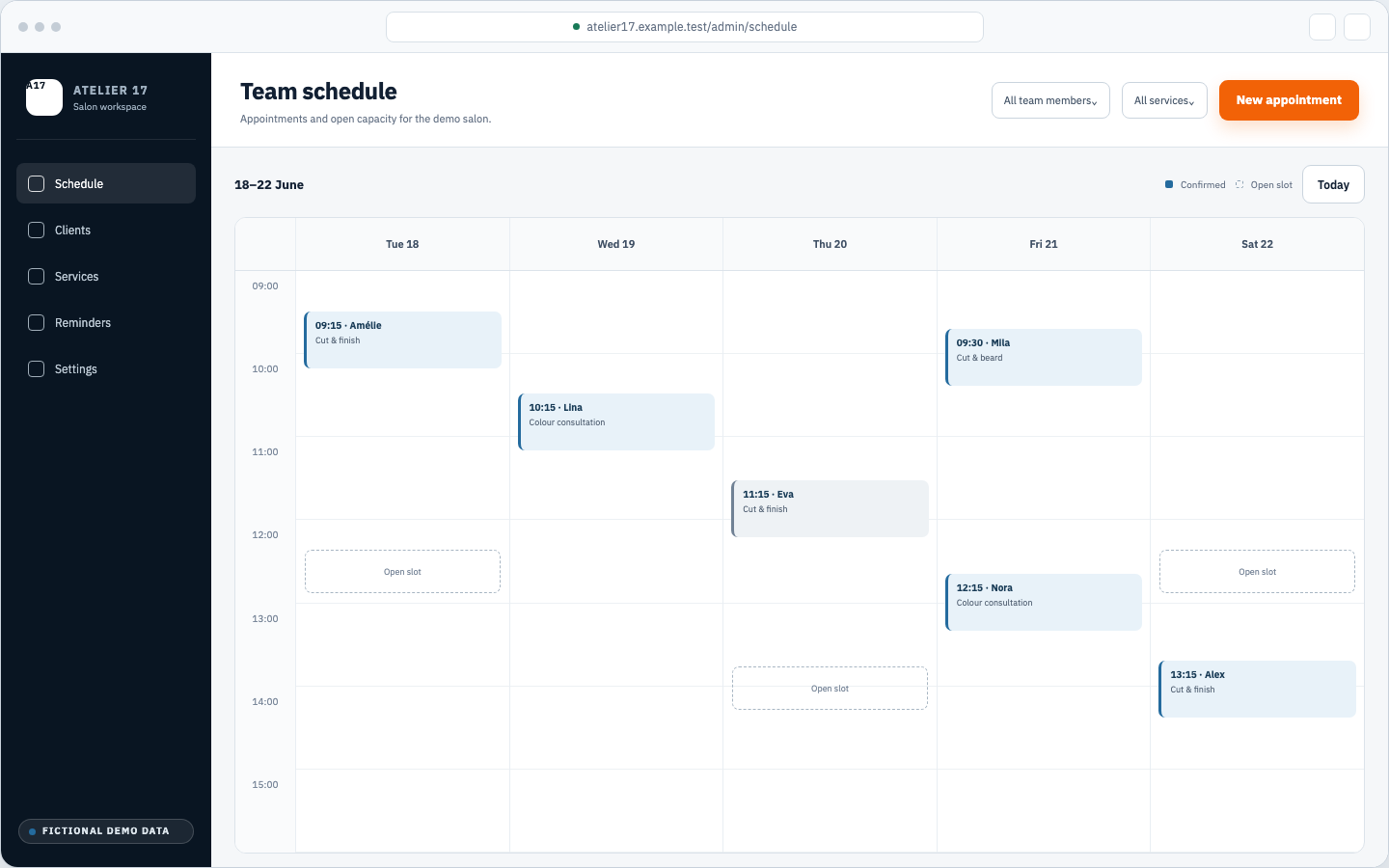
The team sees appointments, open capacity, and booking status in a schedule shaped around the working day.
Prompt → agent → Preview
This is a real E-Code workspace captured after the agent ran the salon booking prompt. The E-Code UI, generated project files, and running Preview are real. The salon identity and records are fictional, and this captured project uses a local in-memory adapter; it has no external database, authentication provider, or email delivery service connected.
The salon owner writes the workflow in everyday language: booking calendar, customer accounts, and email reminders. There is no component list or software architecture to prepare first.
The Agent panel keeps the original request and its implementation plan visible while the Library shows the generated routes, pages, components, styles, and project configuration.
The Webview tab runs the same project beside the conversation. You inspect the dashboard, calendar, booking journey, and account screens without leaving the E-Code workspace.
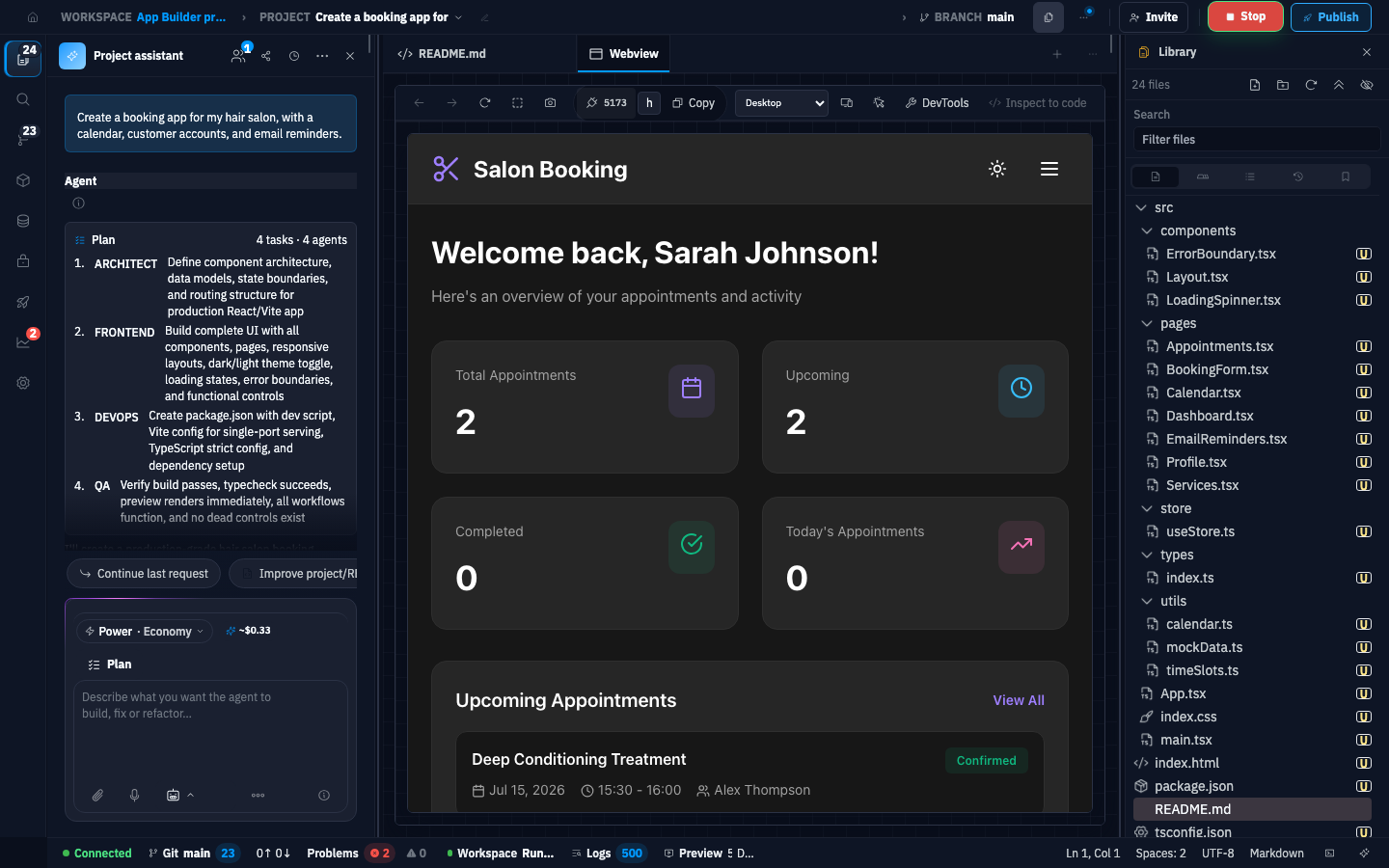
This capture shows the real E-Code UI, generated project tree, and booking dashboard running in Preview. It does not demonstrate server logic or a connected external database, authentication provider, or email delivery service.
Open full-size IDE capture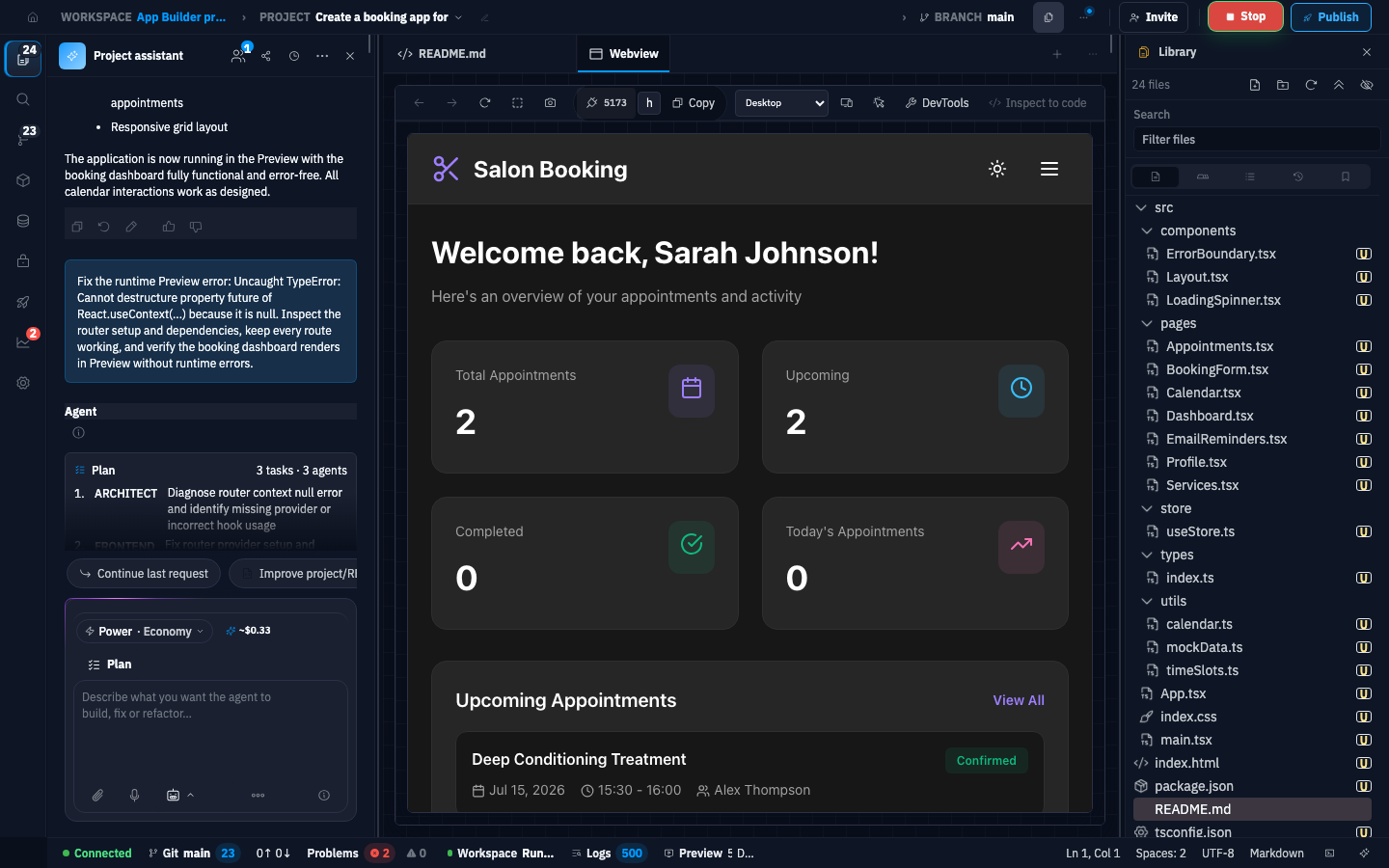
This correction follow-up asks the agent to inspect a router runtime error, preserve every route, and verify the booking dashboard again. The exported project later passed typecheck and a production build independently; the red Problems badge records local Preview startup diagnostics, not a claim that every generation is error-free on the first pass.
Open full-size IDE captureWhat you receive
The project remains inspectable from the first generated file through Preview and export. For supported static builds, guided publishing adds a live release without hiding the code or build output.
Whatever the agent generates—frontend components, routes, validation, configuration, and any server modules—lives in readable project files that you review, edit, version, and export.
Inspect the types, state, adapters, schemas, and queries the generated project actually contains. Supported database connections live in protected project secrets and expose schema inspection and read-query tools.
The application runs beside the project so you click through its flows and review the experience across phone, tablet, and desktop layouts while the code changes.
For supported static builds, move the reviewed output through the E-Code deployment wizard, where configuration, publication, status, and logs remain visible.
A supported static release receives a shareable E-Code address. Server-backed projects remain exportable so you can deploy them with the runtime and hosting workflow they require.
Ask for a shorter form, a new field, a changed approval rule, or a different route. The agent works from the existing files and keeps every change inside the same project.
An inspectable application project
E-Code keeps screens, code, data connections, Preview, and build output in one project so you can inspect what exists before release.
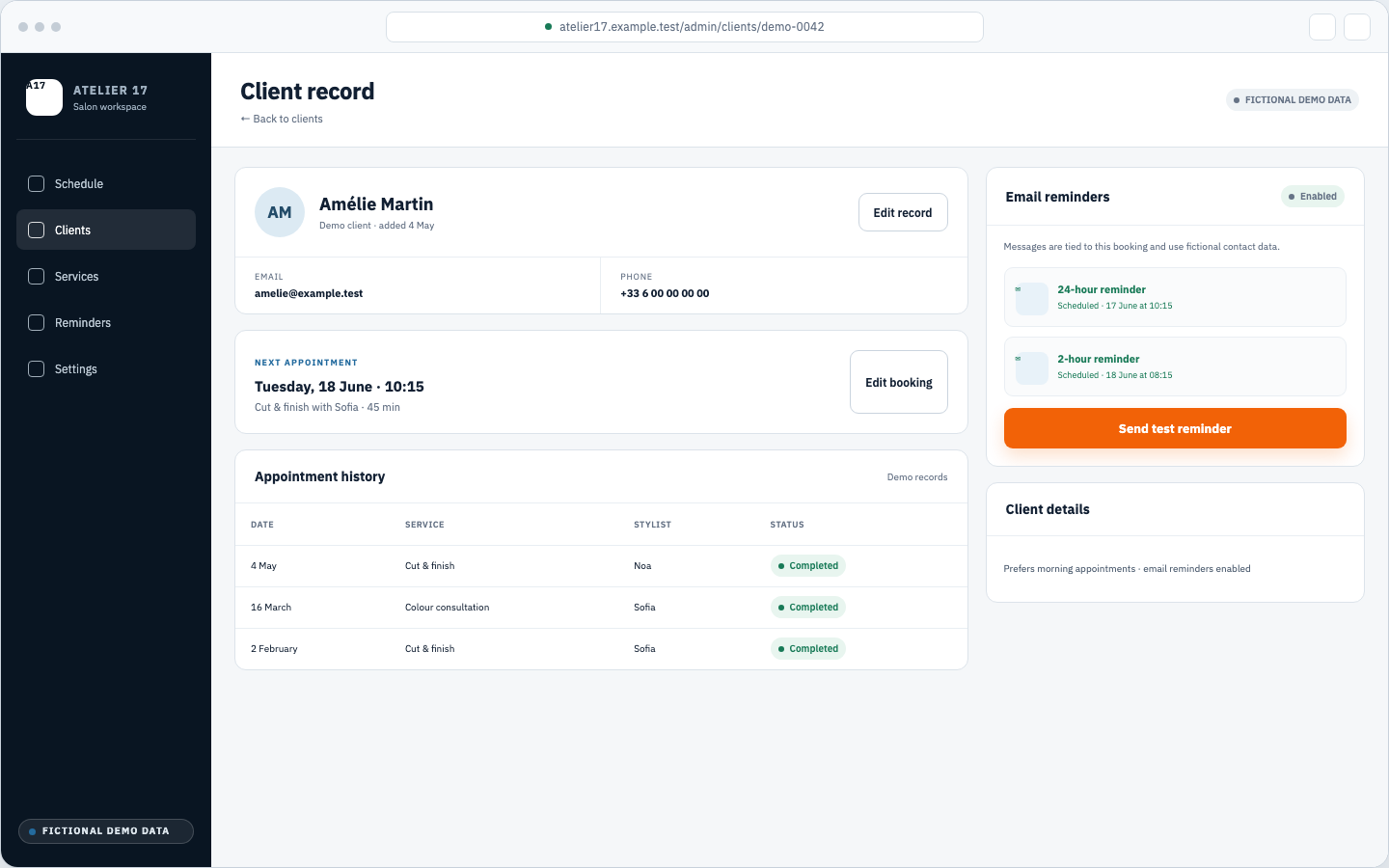
The demonstration places contact details, appointment history, and the next scheduled reminder state in one customer view.
Turn each step into the right view: lists, forms, records, account areas, administration screens, and the routes that move every user through the application.
Review the types, state, adapters, schemas, and queries the generated project actually contains. Add supported database connections through protected project secrets, then inspect their schema before wiring production flows.
Store database credentials and runtime values outside prompts and source files. E-Code encrypts saved project secrets and injects them into the workspace when the application runs.
Open an E-Code project or import ZIP or GitHub files, keep changes in the project history, and export the current source as an archive when you need another workflow.
Run the application while it is built, inspect complete journeys, and verify layouts at phone, tablet, laptop, and wide desktop sizes before release.
Continue the conversation to change a screen, field, rule, or route. The agent reads the current project and edits the implementation already in place.
Applications shaped around the work
Each application starts with different records, roles, and actions. The prompt defines that operating model instead of forcing every business into the same template.
Bring service selection, staff availability, customer records, and appointment changes into one booking journey. Treat account authentication and real email delivery as explicit integrations to implement and test before launch.
Model request intake, document uploads, progress, deliverables, and team contact in one portal. Define and test authentication and document-access rules in the application code before production.
Track products, stock movements, suppliers, purchase orders, fulfilment state, and low-stock actions from operational screens built around the real process.
Organise registration, plans, resources, event access, account settings, and administration for a community, with authentication and authorization kept explicit in the code review.
Practical answers
You stay in control of the code, data connections, and release decisions throughout the build.
No coding knowledge is required to describe the workflow or request changes. E-Code writes and updates the project files. You still see the code, preview, and build output, and a developer may review or extend the same project whenever you want deeper technical control.
Yes. The application lives as real project files rather than a locked visual configuration. You review, edit, version, and export those files for your own repository or handoff process.
The project runs first in E-Code Preview. The current deployment wizard publishes supported static builds and returns a live E-Code URL. For a server-backed application, export the source and use the runtime and hosting workflow it requires.
Yes. Add a supported connection URL through protected project secrets, never inside the prompt. E-Code detects PostgreSQL, MySQL, MongoDB, and Redis connections and exposes schema inspection and read-query tools. Review and test the application mapping and every write operation before production.
Yes. Open an existing E-Code project or import the project files, then explain the screen, workflow, or integration you want to add or change. The agent works from the current structure instead of replacing the application with an unrelated starter.
Connection credentials live in encrypted project secrets. Authentication and role enforcement for the generated application remain part of its source code: state the requirements, then inspect and test every generated route and data check before production. A prompt is not a security review.
App Builder for real business workflows
Explain the workflow, users, data, and rules in your own words. E-Code turns that context into connected screens, working code, and a project you inspect, run, export, and continue improving.